Safe After Me · Side project · Ongoing
Organizing life’s important information for next of kin
Safe After Me is an end-to-end encrypted vault for people preparing their own information or helping their parents get organized. It brings documents, accounts, access instructions and wishes together so chosen family members can find what they need if someone dies or becomes incapacitated.
- My work
- Product strategy, design and development
- Team
- Built with a co-founder
- Product status
- Live · Friends-and-family beta

An encrypted vault for the information families need in an emergency
Safe After Me gives people a place to organize documents, account details, access instructions, contacts and wishes, then share them with chosen family members. The information is encrypted end-to-end. Its Priority Info view brings together urgent details such as home access, care for dependents and pets, and who to contact.
I encountered the problem while helping my parents with estate planning, then discussed it with a few other people. In the first 48 hours after an emergency, a family may need information scattered across paper files, email and someone else’s memory. The challenge was making that information findable and shareable while keeping it secure.
I reviewed physical filing systems such as NOKbox and estate-organization binders. They gave me a reference for the information families need to collect and the instructions they need alongside it. In the digital product, someone can begin by recording where an original is kept, then add details and an encrypted copy. Invited members must be confirmed before they can access encrypted content.
Designing personalized guidance around the difficulty of getting started
People I spoke with knew they needed to prepare, but found the work difficult to start. That made onboarding a central product question: could personalized guidance help them gather information and work through an emotionally difficult task?
I tore down Noom and TurboTax to study where personalization, orientation and reassurance fit into onboarding. Alongside that work, I collected research on product tours: contextual guidance, user control and learning through the task itself. For Safe After Me, I explored where to explain the work, where to ask for information and how to let someone pause and return.
The inventory establishes what someone has, including a will, insurance, pets and dependents. We used those answers and the person’s entry point to shape a dynamic journey. Category wizards put guidance beside the information being entered, and the dashboard recommends further setup tasks. This let us explore guidance throughout the work, beyond the initial welcome screens.
What a beta session changed in the document wizard
In a March beta session with two people who had already prepared their estate documents, the wizard still caused confusion. They had to work out which documents belonged in which category and where to record the people authorized to act for them. The session analysis made the classification problem concrete.
- The form grouped different powers of attorney together
- I separated financial and healthcare authority in the revised flow, with questions about the people involved and explanations of the document terminology.
- One document could cover more than one purpose
- I added document reuse between the financial and healthcare sections, so the same upload could support both.
- The wizard asked for information before explaining the task
- I added an orientation before the authority steps, explaining what people would be asked to organize. I used TurboTax as a reference for preparing someone for the work ahead.
These changes were implemented in the revised wizard. Whether they make setup easier remains a question for further testing.
Configuring wizard steps and conditional paths
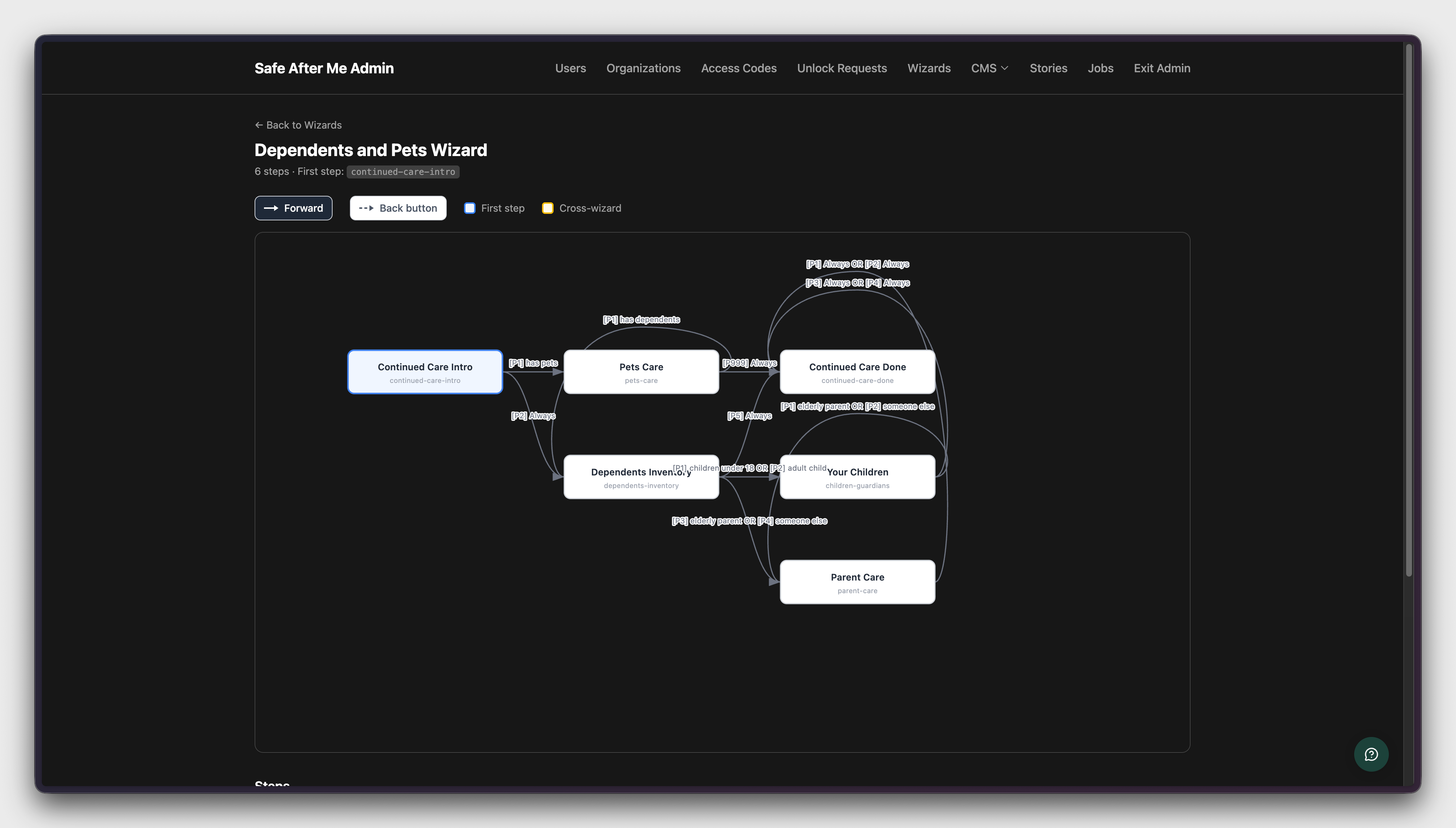
We created a custom admin tool to organize the journey step by step and configure it for different entry points. It makes the conditional routes visible, including where a wizard begins and how forward and back navigation connect the steps.
The Dependents and Pets wizard is one example. Its paths depend on whether someone has pets, children or another person who needs care. The tool shows how those answers connect to the relevant questions and the end of the wizard.
Implementing onboarding, sharing and partner tools
Alongside product strategy and design, I wrote production code with my co-founder in Ruby on Rails, the framework behind the whole application. My changes covered the interface, wizard navigation, sharing, partner tools and the background jobs that send lifecycle emails.
My contributions to the product repository
February to July 2026- 238
- commits authored
- 45
- pull requests merged
Examples of the work
A custom date picker for birthdaysType a date directly, or choose a year, month and day.
I built a reusable date picker for onboarding. People can type their birthday or navigate through years, months and days. A decade view lets them jump to a birth year without stepping backward month by month, and birthday mode opens 30 years back. The component checks typed dates and prevents future dates.
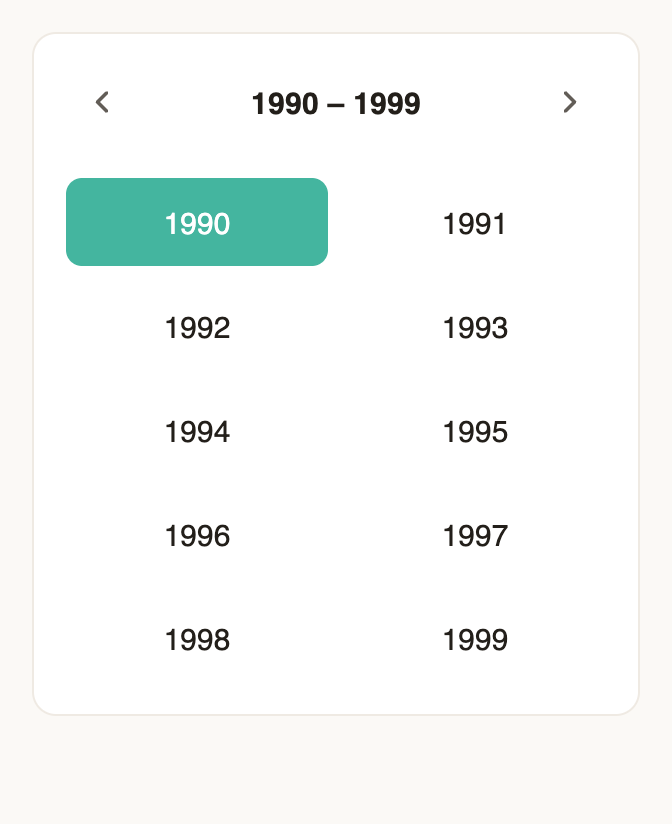
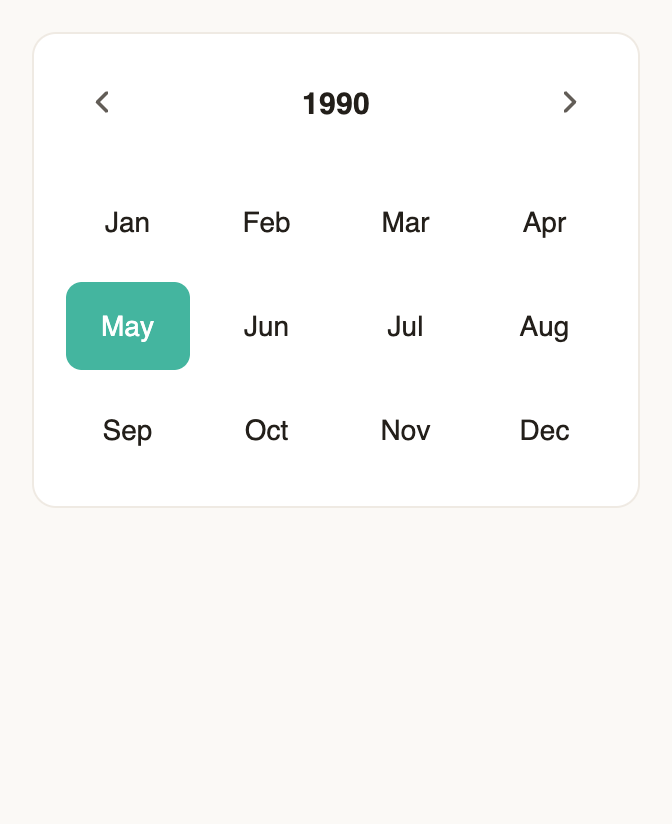
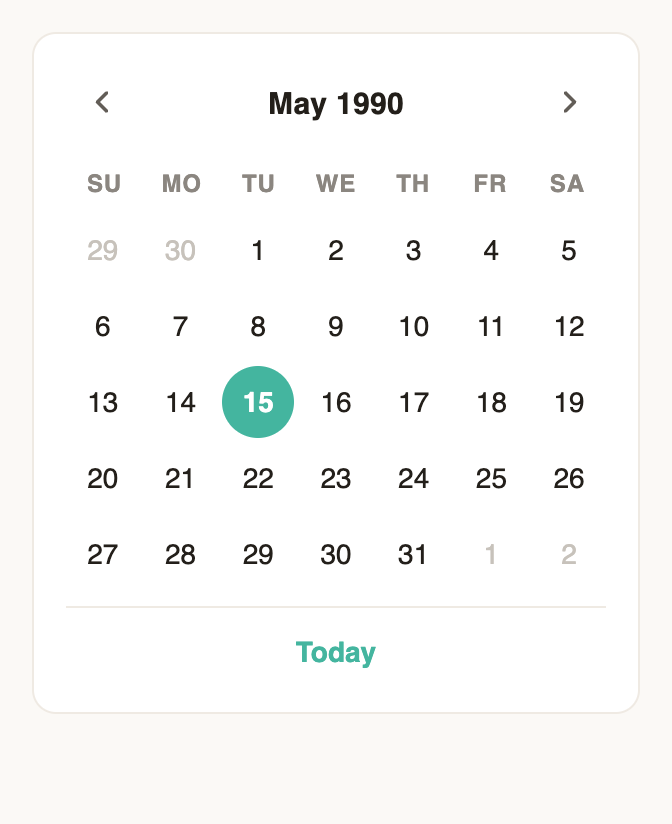
Component preview rendered from the application code. The calendar provides year, month and day views for selecting an older date.
Wizard interactions and navigationInventory validation, document uploads and section skipping.
I added the inventory’s answer checks and changed Skip to move past the whole section, rather than landing on another question in the same section. The changes connect the visible controls to form behavior and server-side navigation.
Copy that reflects who is using the vaultDifferent language for owners and invited family members.
I replaced hard-coded references to ‘your’ information with a shared helper that checks the person’s role. An owner sees ‘your vault’; an invited member sees ‘the vault’ or the owner’s name. I applied it across category pages, wizards and the product tour.
Partner onboarding and customizationTools for organizations to tailor messages in the journey.
I worked on the partner portal, including editors for messages shown when someone has a will, does not have one or completes that step. Those changes sit alongside the tools for configuring an organization’s wizard flow.
Invitations and lifecycle emailsAccount entry, reminder timing and duplicate-send safeguards.
I revised the organization invitation flow so an email invitation could lead directly to account setup. I also implemented a trial reminder job with a record of whether it had already sent, and separated trial and payment-failure email paths.
I used Claude Design, Claude Code and prototyping tools, with skills for moving from design into implementation. I also built landing pages and ran ad tests, including work on an ad landing-page generator and skills for developing and evaluating its copy.
Testing the product and exploring a will builder
Safe After Me is live, with friends-and-family beta testing and ongoing fixes. We also experimented with a will builder and have been speaking with external organizations about whether the product could help the people they serve.
The onboarding approach remains a hypothesis we are exploring through this work. The beta and ad tests are still early.
Visit the Safe After Me website ↗